Your color of quiet.
Six free sounds to settle into, with visuals that follow their colors. Pro’s App color lets you choose a separate palette. Silk carries soft grey threads beside it.

Your space for sound
iPhone & iPad
A warm rumble. A soft hush. Flowing silk, drifting clouds, or a wash of light. Shape a little space to focus, rest, or simply watch.
Your sound. Your colors.
A pace and a palette that feel like yours. Explore App color.
Six sounds and three Silk visuals free. More with Pro. No subscription.
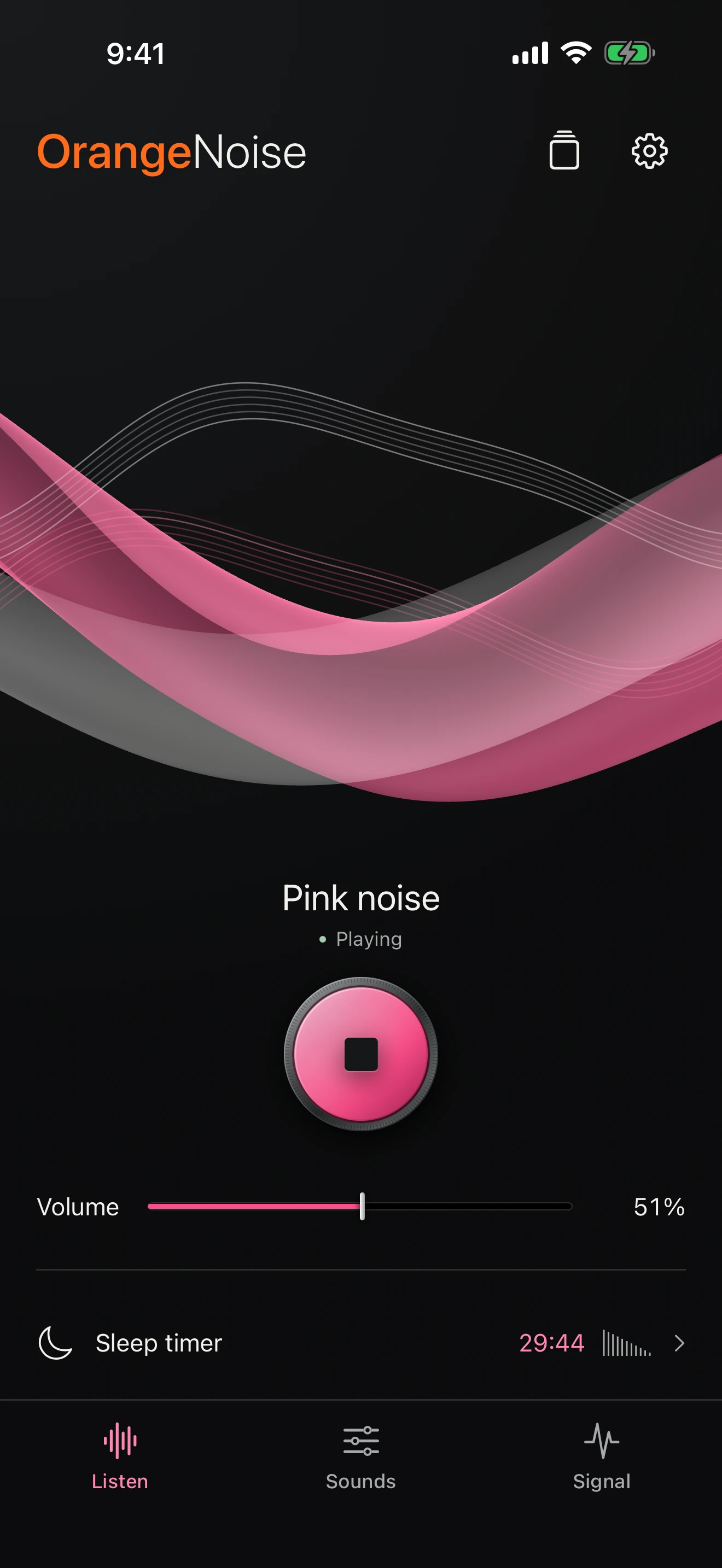
Silk · Included free
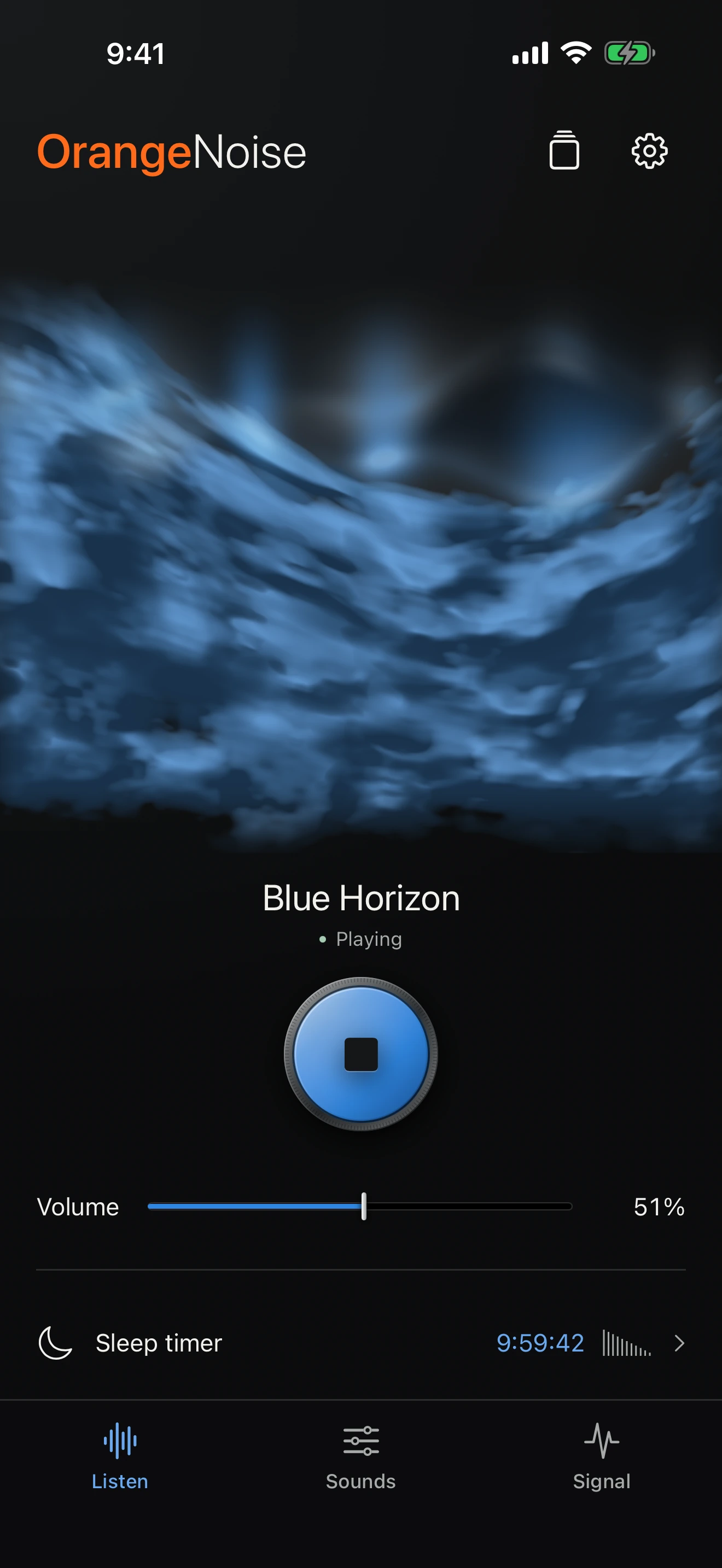
Clouds + Aurora · Pro
Love the sound of Brown noise, but prefer a softer blue? Keep the sound you like and give OrangeNoise a look that feels like you.

Choose from 15 single colors or four color blends. Your palette stays with your visuals, playback controls, and clock—even when the sound changes.
Included with Pro in version 2.2.1. App color changes the look, not the sound. The automatic, sound-colored look stays free.
Choose your App colorFour color blends · Pro
Or keep it simple: warm Amber, cool Cyan, soft Lavender, Pearl, and more.
Turn Listen sideways. Your chosen visual fills the view while a quiet clock rests above it. Switch the visual right from the control bar, with Play and Volume close by.
Two screens. The same quiet.
Blue Cloud chamber shapes evolve across the landscape Listen screen on iPhone, with Aurora glow adding light. Clouds and Aurora require Pro. The clock stays at the top right; Play/Stop, Volume, and the visual chooser remain on the control bar. This is real OrangeNoise 2.2 app footage with no audio.
Blue Cloud chamber shapes evolve across the landscape Listen screen on iPad, with Aurora glow adding light. Clouds and Aurora require Pro. The clock stays at the top right; Play/Stop, Volume, and the visual chooser remain on the control bar. This is real OrangeNoise 2.2 app footage with no audio.
Six free sounds to settle into, with visuals that follow their colors. Pro’s App color lets you choose a separate palette. Silk carries soft grey threads beside it.
Start with three free Silk styles. Pro opens nine more across Clouds, Light & flow, and Atmospheres, including Wind clouds.
A quiet clock, optional Night red, and brightness levels you choose. One tap brings a dimmed view back to your gentler glow.
Silk visuals, the clock, and Night display are free. Other visual categories and Aurora glow require Pro. Audio uses its own timer: up to two hours free, or longer with Pro. Explore the settings
Keep the clock in view and settle into a gentler glow. Choose Night red or your usual colors, with your own levels for a brightened and dimmed screen.

Keep landscape Listen awake for a short wind-down or all night. Your sleep timer still controls the sound.
Set brightened and dimmed levels separately. After inactivity, one tap returns to your chosen brighter level without changing the sound.
Optionally brighten when the device moves. Choose Low, Medium, or High sensitivity to suit your table or stand.
Night appearance follows screen brightness as an estimate of darkness. Higher brightness brings back your normal colors without extra shading. Auto-Brightness helps it follow the room; manual brightness changes also affect it.
For an awake, unlocked iPhone or iPad with OrangeNoise open in landscape Listen.
Set up Night DisplayTwelve visual styles, four collections. Keep the familiar Silk or explore a new way to see your sound. Every visual responds to the audio generated inside OrangeNoise.
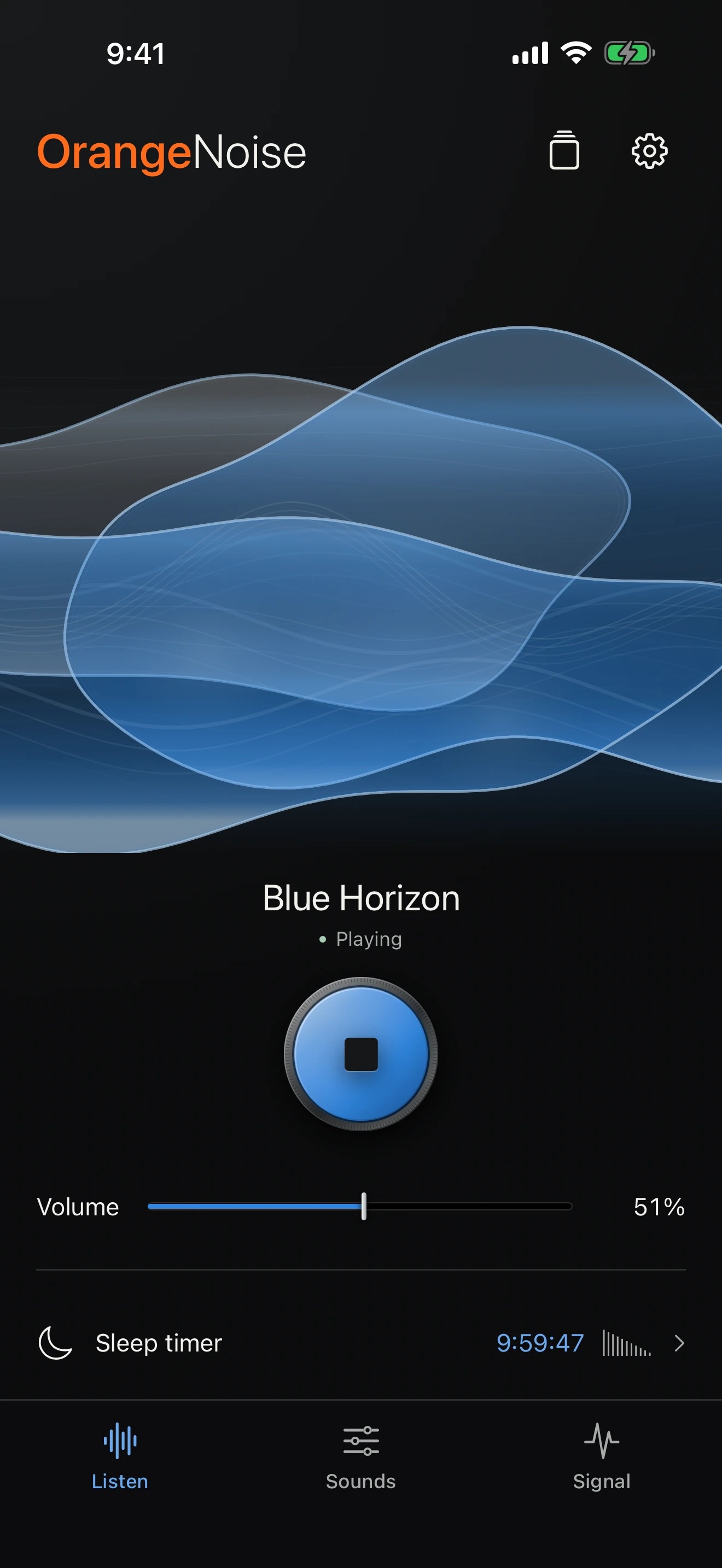
Layers of color, with room to drift.
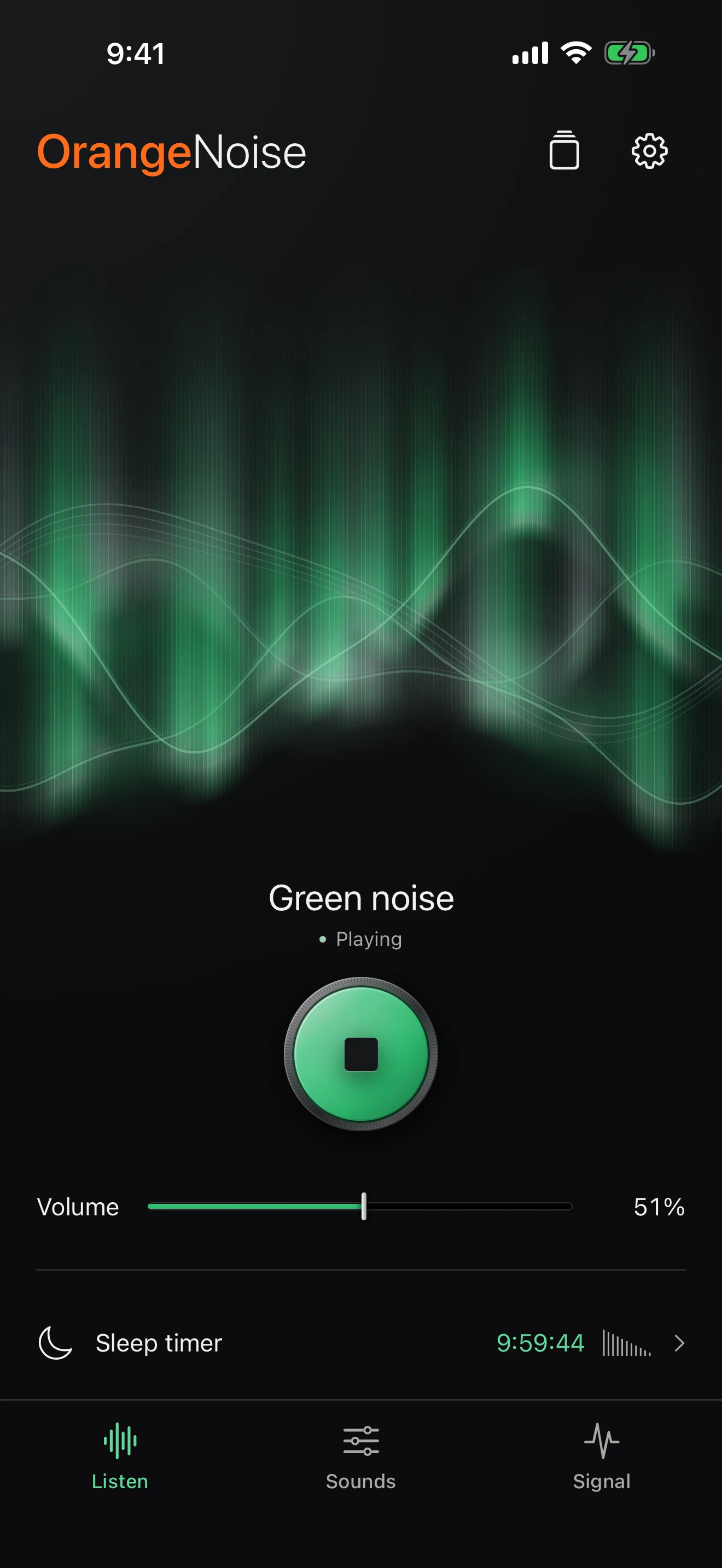
A quieter kind of light show.
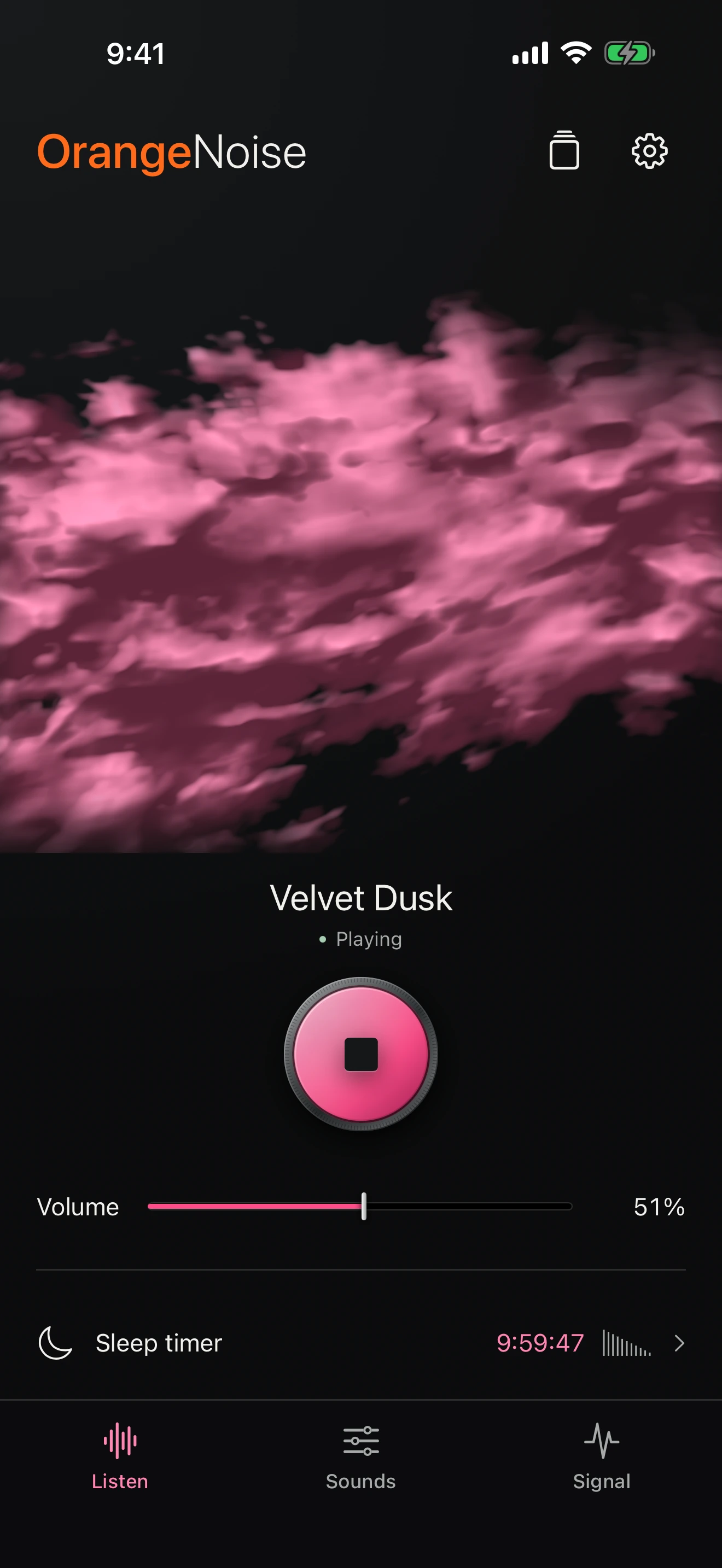
Cloud forms with room to drift.
Suspended silk, Open cocoon, and Folded light. Familiar flowing ribbons, woven with quiet grey threads.
Aurora veil and Tidal glass. Light and translucent layers, carried across your screen.
Moonlit water and Opal bloom. A different texture to settle into, with shapes that keep unfolding.
Cloud chamber, Cloud tide, Silver lining, Nebula bloom, and Wind clouds. Let distinct clouds drift and reshape in the wind, with a soft haze or clearer edges.
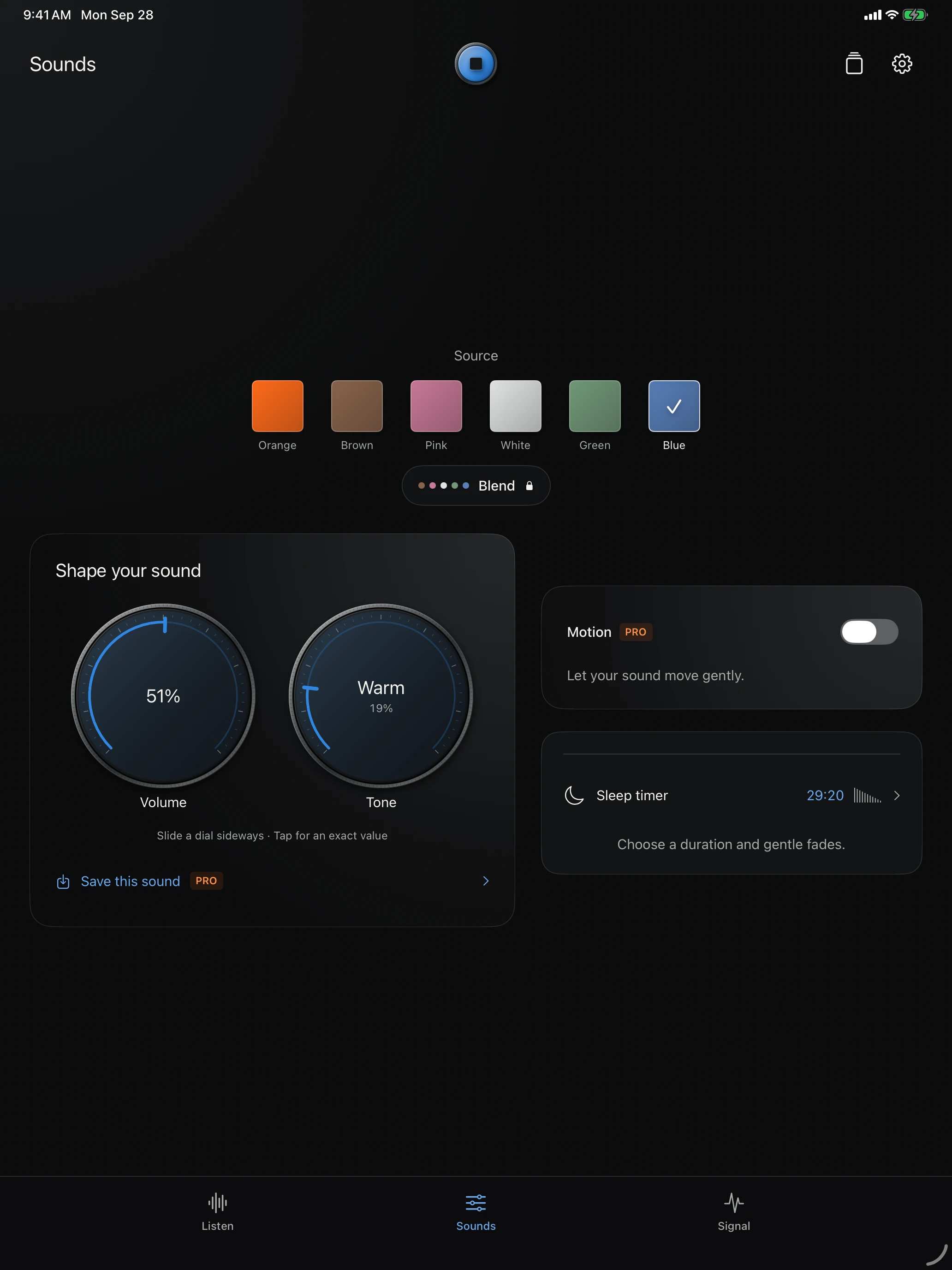
Signature OrangeNoise, Brown, Pink, White, Green, and Blue are free. Shape them with Volume and Tone. OrangeNoise also adds Rain and Softness.
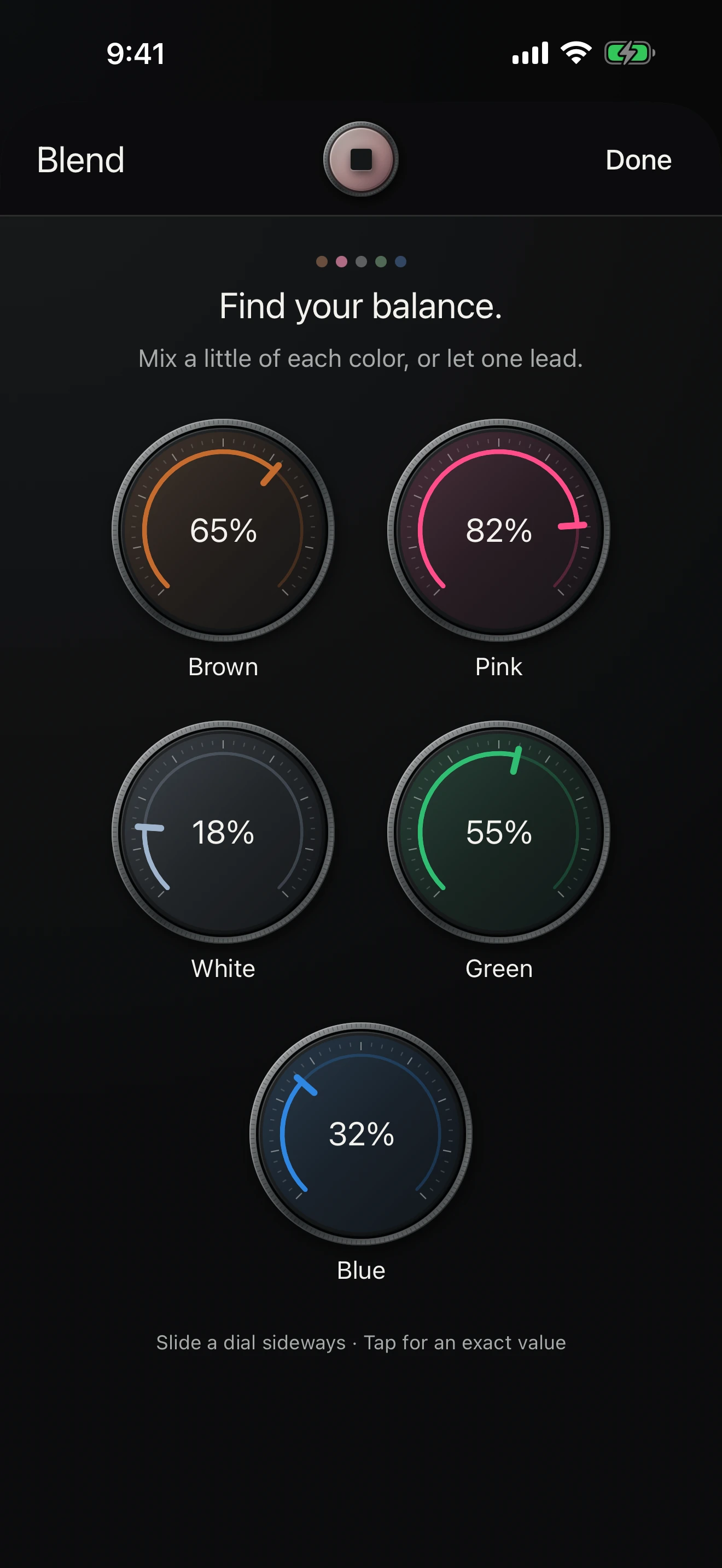
Blend five noise colors with tactile dials. Try your own mix in the free 60-second preview; Pro lets you keep it playing and save it.
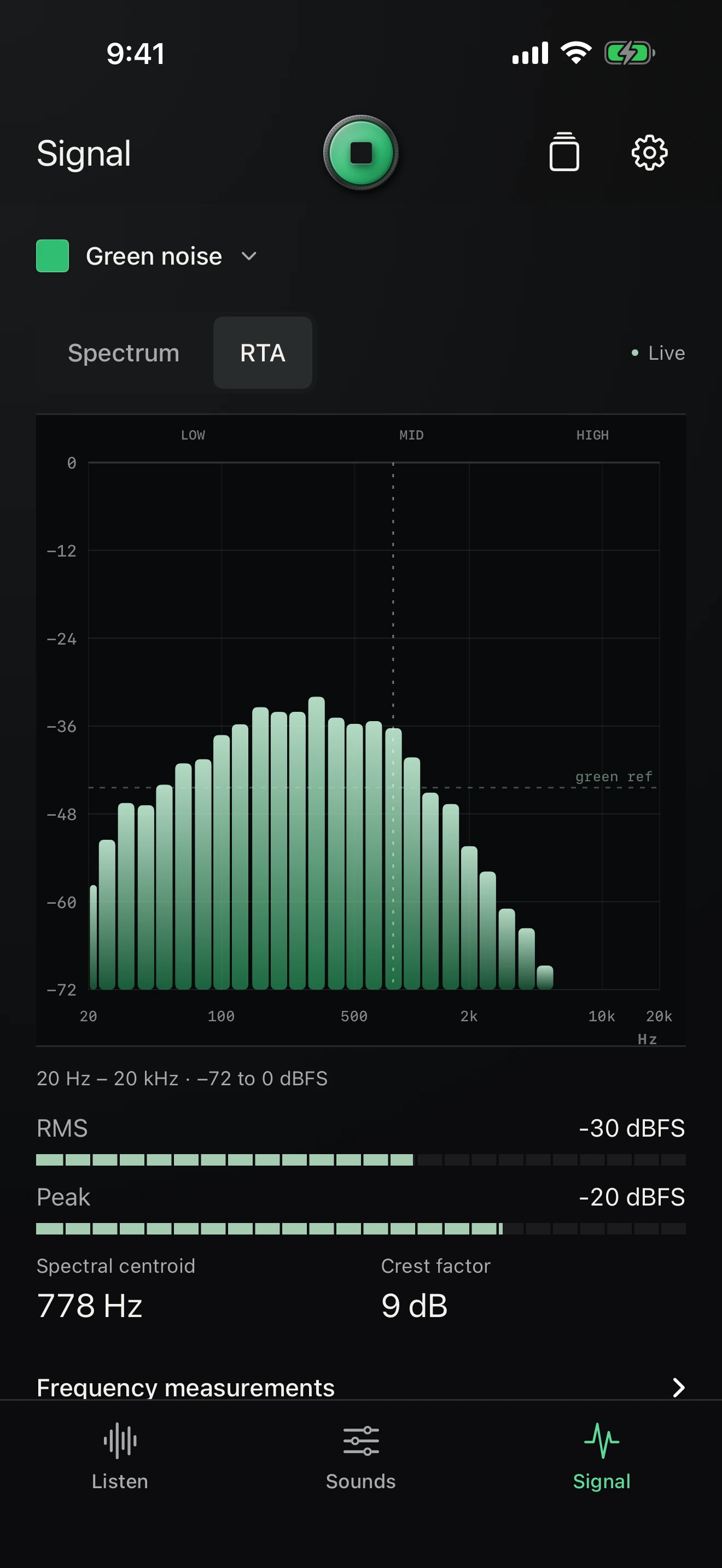
A live spectrum, one-third-octave analyzer, and output meters reveal the sound you’re making. No microphone needed.
Want the sound itself to evolve? Pro’s audio Motion adds adjustable speed and depth to every individual color, OrangeNoise, and blends.
Save six named sounds, arrange them your way, and build two nightly routines that move gently from one favorite to the next.
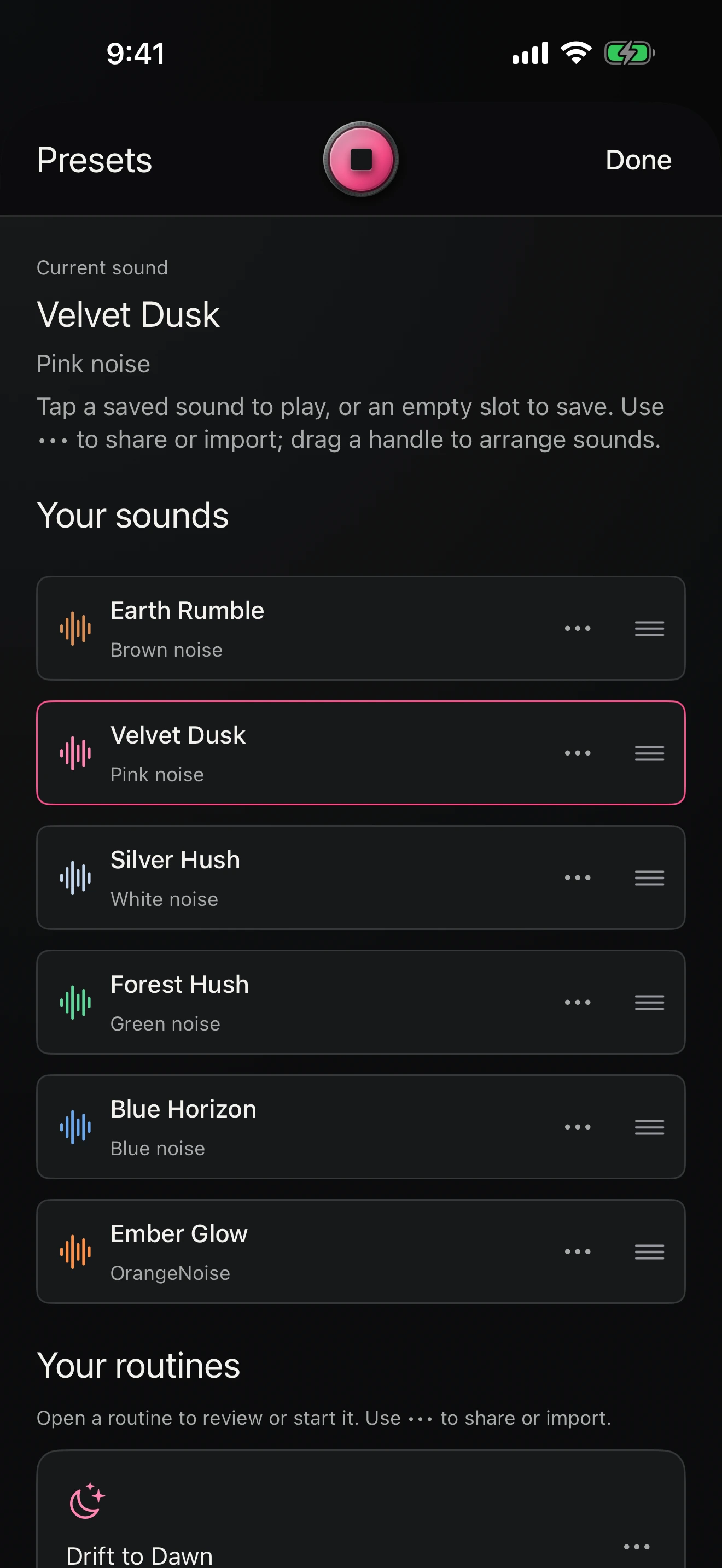
Routines run during a listening session you start, including with the screen locked. They are not scheduled background alarms.
How to build a routine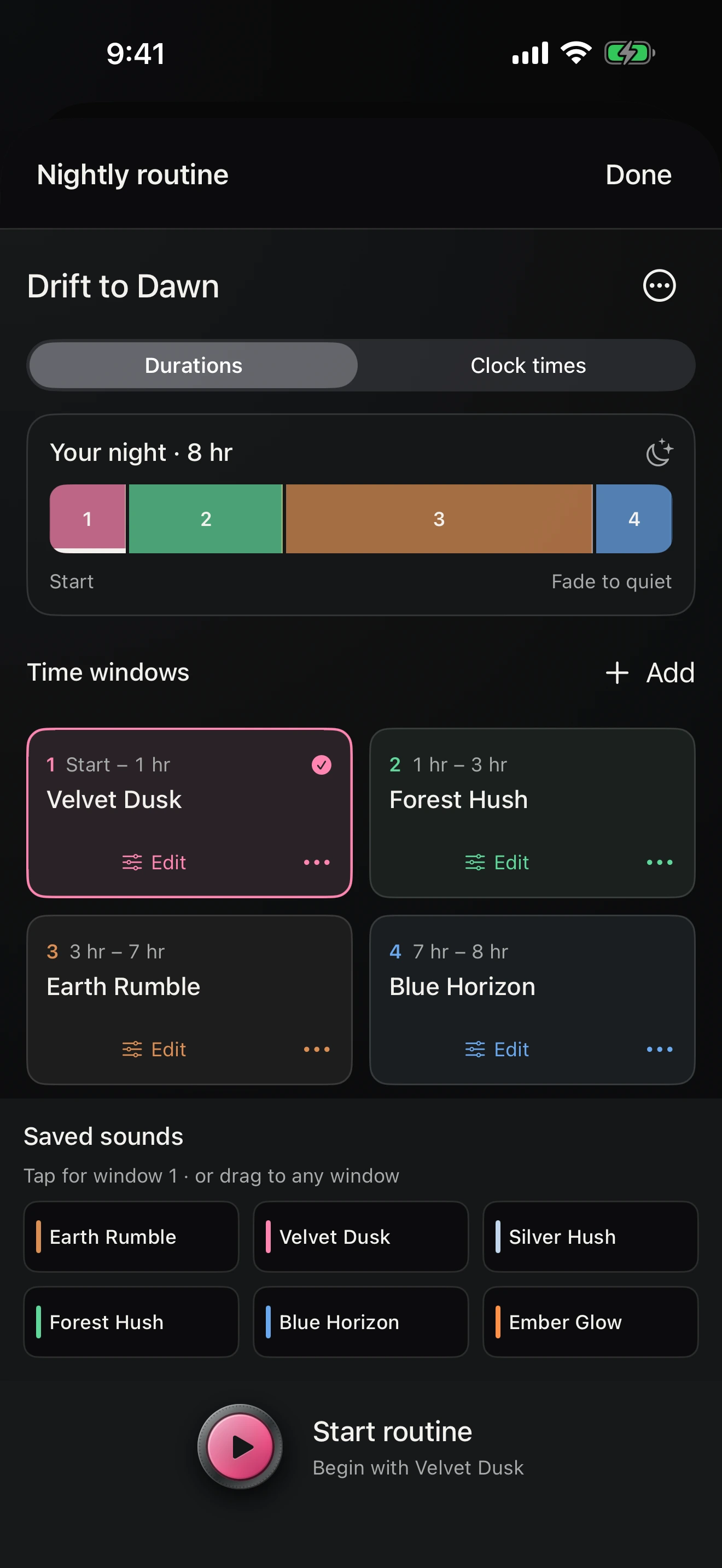
Open Settings for focused controls for listening and display. These preferences live on your device and stay separate from saved sound presets.

App color requires OrangeNoise 2.2.1 or later. Open Settings → App color. Follow sound remains the free default. With Pro, keep one of 15 single colors or choose Rainbow, Twilight, Ocean, or Sunset. This device preference changes your visuals, playback controls, and clock without changing audio or saved sounds.
App color detailsOpen a visual category for its types and movement controls. Each category remembers its own settings. Silk is free; Light & flow, Atmospheres, Clouds, and Aurora glow are Pro.
Small, Medium, or Large, always at the top right. Local time follows your device’s 12/24-hour setting; its color follows your sound. It also follows your Pro App color choice.
Keep landscape Listen awake for 15 or 30 minutes, one or two hours, or all night. Choose Normal color or Night red, separate brightened and dimmed levels, and a Night threshold. A low screen-brightness estimate activates your night appearance; higher brightness returns your normal colors without extra shading. Tap to brighten or opt in to movement brightening. Display and audio durations stay separate.
Night display detailsEase in and fade away. Free includes up to two hours and 30-second fades. Pro adds up to ten hours or Indefinite, with fades up to five minutes.
Choose Subtle, Balanced, or Expressive sound response. Set travel from Almost still to Fast. Silk, Atmospheres, and Clouds also have a separate morph speed for how quickly shapes evolve.
Every category remembers its type and movement. Clouds adds a Soft–Clear clarity control. New categories start with Balanced response, Gentle speeds, and 50% cloud clarity.
Choose another visual from the landscape Listen control bar. Open Settings → Listen visuals for its controls or to restore that category’s balanced defaults. Visual choices stay separate from saved sounds.
Add Start or Stop OrangeNoise to Control Center or a shortcut to toggle your current sound.
On iPad, sound controls and visuals have space to spread out. Use the full app in portrait or landscape, and bring your favorite sounds across with Pro’s share and import.
Shown: Blue noise in Sounds. Individual colors and their Volume and Tone controls are free; audio Motion is Pro.
The core listening experience is free. Pro is one purchase, with no subscription.
Sound generated on your device. No accounts, ads, analytics, or tracking. Apple handles the optional Pro purchase.